Fast month-range backfill
Pull historic periods from your dashboard without rebuilding old data manually in QuickBooks.
Backfill past activity with confidence
Choose month ranges, preview volume and cost, then sync prior data so reporting and reconciliations start from a complete baseline.
14-day free trial · card required · cancel anytime
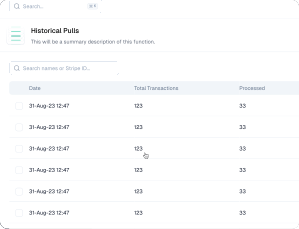


Backfilling a past month consumes historical-data credits. Annual plans include an allowance of them, sized to your tier; on monthly billing, historical pulls are billed separately. You see the projected transaction volume and the credit cost for the month range you pick before you approve anything, and periods Acodei has already synced are not charged again.
High-impact capabilities that reduce accounting effort while improving data accuracy.
Pull historic periods from your dashboard without rebuilding old data manually in QuickBooks.
Review transaction volume and import cost before approval so finance teams can plan backfill work with fewer surprises.
Historical imports help teams avoid partial records when moving from manual processes or another integration approach.
Credit allowances differ by tier. See plans and pricing to see how credits are included on annual billing.
Backfilling a large Stripe history is the first thing most high-volume Stripe businesses ask about.
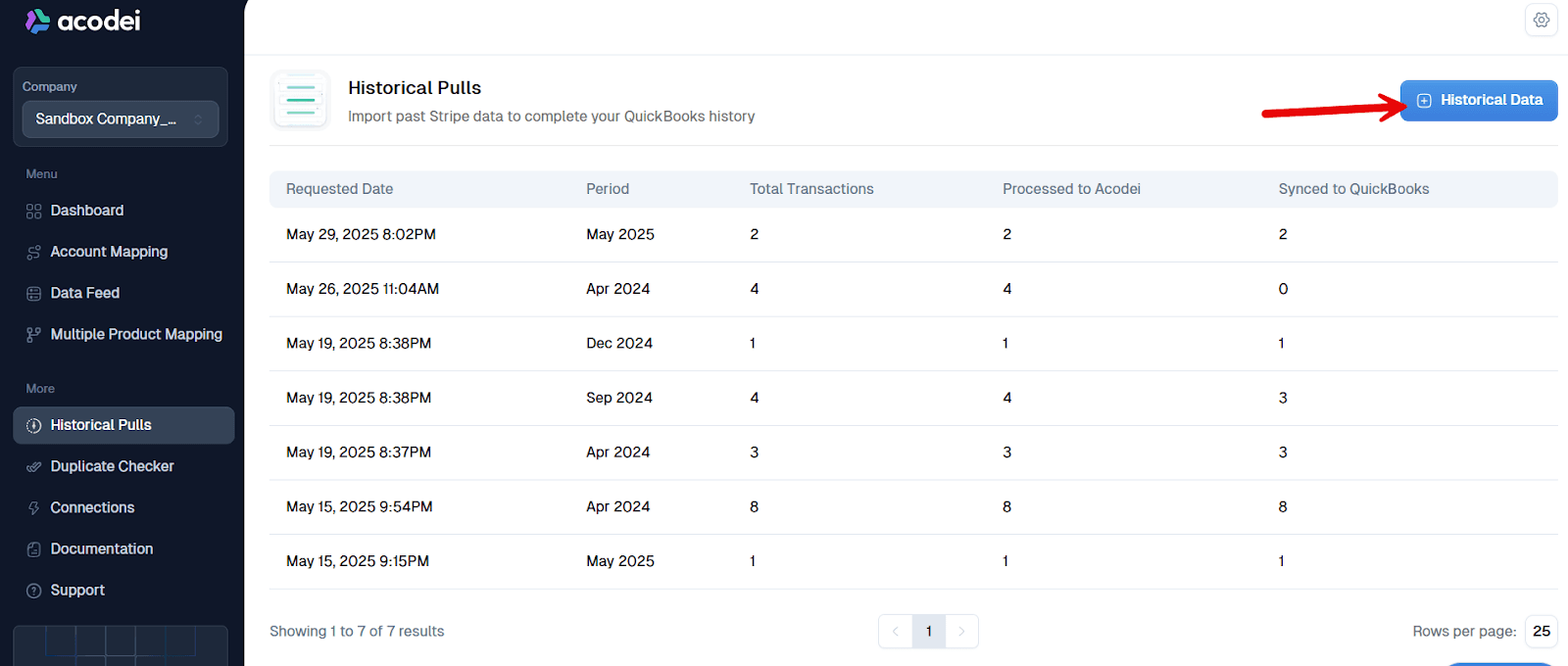
Open Historic Data from the Acodei dashboard sidebar.
Click Pull Historic Data and select a month or month range.
Review projected transaction volume and import pricing.
Approve to start processing and monitor synced results in QuickBooks.
Want the full walkthrough? The historical Stripe backfill playbook
Testimonials
Business owners and finance leaders on what changed once their Stripe activity started landing in QuickBooks automatically.
“Works well and is really helpful for massive transactions. The support is really fast and helpful. 100% recommended.”
Andres
Co-founder and CEO at Kanguro Collections and Reinsurance
“The app does a beautiful job of syncing and automatically categorizing our Stripe data. I don't think I could function without this app.”
Kenneth
CEO at Bell Benefits Group
“If you're testing out all the different Stripe/QuickBooks integration apps right now, let me save you some time. This one is the best one by far.”
Ryan
Owner at Indie Music Academy
“This app works exactly as described, saving time because I no longer have to create journal entries for my Stripe transactions.”
Jacquie
Owner at Camp Mowglis
“The connection and sync with QuickBooks Online has been a huge time saver and is working very smoothly! I am so glad we found this tool!!”
Kim
CFO at The Paperless Agent
“As a solopreneur, any increase in productivity is a good thing. Acodei helped me in this area, and I'm grateful!”
Elijah
Owner at Elijah Wordsmith
FAQ
Other parts of the Stripe to QuickBooks sync that pair well with historical data import.
Route each Stripe product to the right QuickBooks item using rules on product ID, price ID, and metadata.
Bring Stripe invoices into QuickBooks and apply payments and credit memos automatically.
Post foreign-currency Stripe sales with exchange-rate handling and currency-specific customer records. Enabled by our team on request.
Add QuickBooks classes to synced sales receipts and invoices for category-level reporting. Requires QuickBooks Online Plus or Advanced.
Launch with Acodei and build an accounting workflow that scales as your Stripe volume grows.
14-day free trial · card required · cancel anytime