Map beyond one default product
Create specific rules using Stripe Product ID, Price ID, metadata, descriptions, transaction values, and Stripe account ID.
Revenue categorization without manual cleanup
Build rule-based mapping that scales with your catalog, subscriptions, and connected Stripe accounts so your books stay clean as you grow.
14-day free trial · card required · cancel anytime
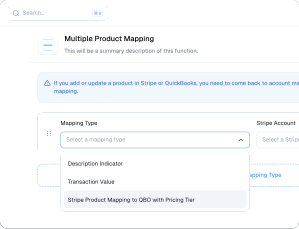
High-impact capabilities that reduce accounting effort while improving data accuracy.
Create specific rules using Stripe Product ID, Price ID, metadata, descriptions, transaction values, and Stripe account ID.
Acodei evaluates mappings top-to-bottom, so precise rules can override broad ones and avoid misclassified revenue.
Use the same mapping engine for sales, refunds, and Stripe fees to keep your QuickBooks data consistent and audit ready.
Tax that Stripe calculates comes across on the same sale, not as a separate reconciliation step. US QuickBooks companies map it to a single liability product, because QuickBooks does not let a third party create official sales-tax rates. Non-US companies map each Stripe tax rate to a QuickBooks tax code, group codes included. Both need Stripe Tax switched on in your Stripe account first. See how Stripe Tax reaches QuickBooks.
Already mapping products? Pair these rules with class tracking to segment the same revenue by QuickBooks class.
Mapping depth is the clearest difference between the tools in this category. See Acodei compared with Synder.
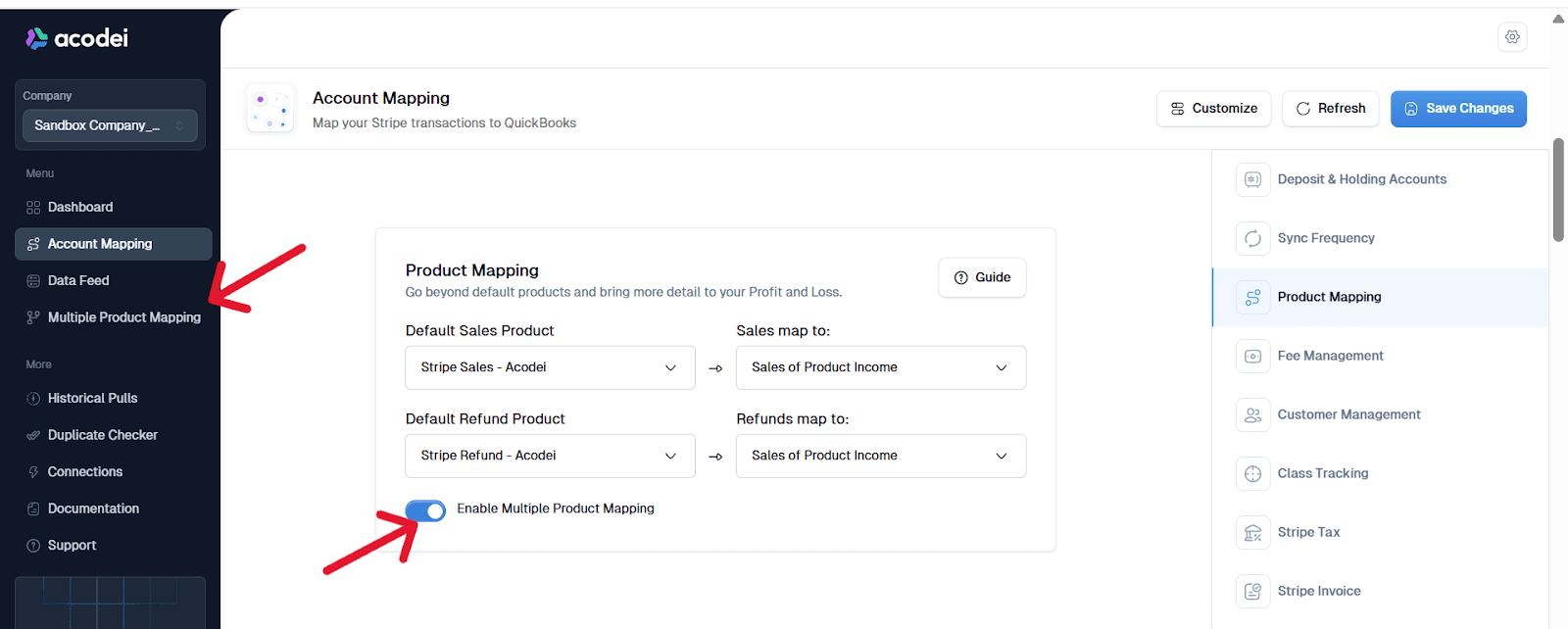
Enable Multiple Product Mapping in Account Mapping inside your Acodei dashboard.
Create or confirm your Product/Service items in QuickBooks for each reporting category.
Add mapping rules by type, set criteria, select output products, and order rules from most specific to broadest.
Run small live tests and adjust priority to catch edge cases before scaling volume.
Want the full walkthrough? How multiple product mapping works
Testimonials
Business owners and finance leaders on what changed once their Stripe activity started landing in QuickBooks automatically.
“Works well and is really helpful for massive transactions. The support is really fast and helpful. 100% recommended.”
Andres
Co-founder and CEO at Kanguro Collections and Reinsurance
“The app does a beautiful job of syncing and automatically categorizing our Stripe data. I don't think I could function without this app.”
Kenneth
CEO at Bell Benefits Group
“If you're testing out all the different Stripe/QuickBooks integration apps right now, let me save you some time. This one is the best one by far.”
Ryan
Owner at Indie Music Academy
“This app works exactly as described, saving time because I no longer have to create journal entries for my Stripe transactions.”
Jacquie
Owner at Camp Mowglis
“The connection and sync with QuickBooks Online has been a huge time saver and is working very smoothly! I am so glad we found this tool!!”
Kim
CFO at The Paperless Agent
“As a solopreneur, any increase in productivity is a good thing. Acodei helped me in this area, and I'm grateful!”
Elijah
Owner at Elijah Wordsmith
FAQ
Other parts of the Stripe to QuickBooks sync that pair well with advanced product mapping.
Add QuickBooks classes to synced sales receipts and invoices for category-level reporting. Requires QuickBooks Online Plus or Advanced.
Bring Stripe invoices into QuickBooks and apply payments and credit memos automatically.
Post foreign-currency Stripe sales with exchange-rate handling and currency-specific customer records. Enabled by our team on request.
Backfill prior Stripe activity by month range so reporting starts from a complete baseline.
Launch with Acodei and build an accounting workflow that scales as your Stripe volume grows.
14-day free trial · card required · cancel anytime