Receivables visibility across Stripe and QuickBooks

Sync Stripe invoices to QuickBooks with less reconciliation work

Acodei keeps invoice flows aligned so finance teams can track open balances, apply payments faster, and reduce manual adjustments.

Automated Invoice Sync

Why teams choose Automated Invoice Sync

High-impact capabilities that reduce accounting effort while improving data accuracy.

One-way invoice sync for operational clarity

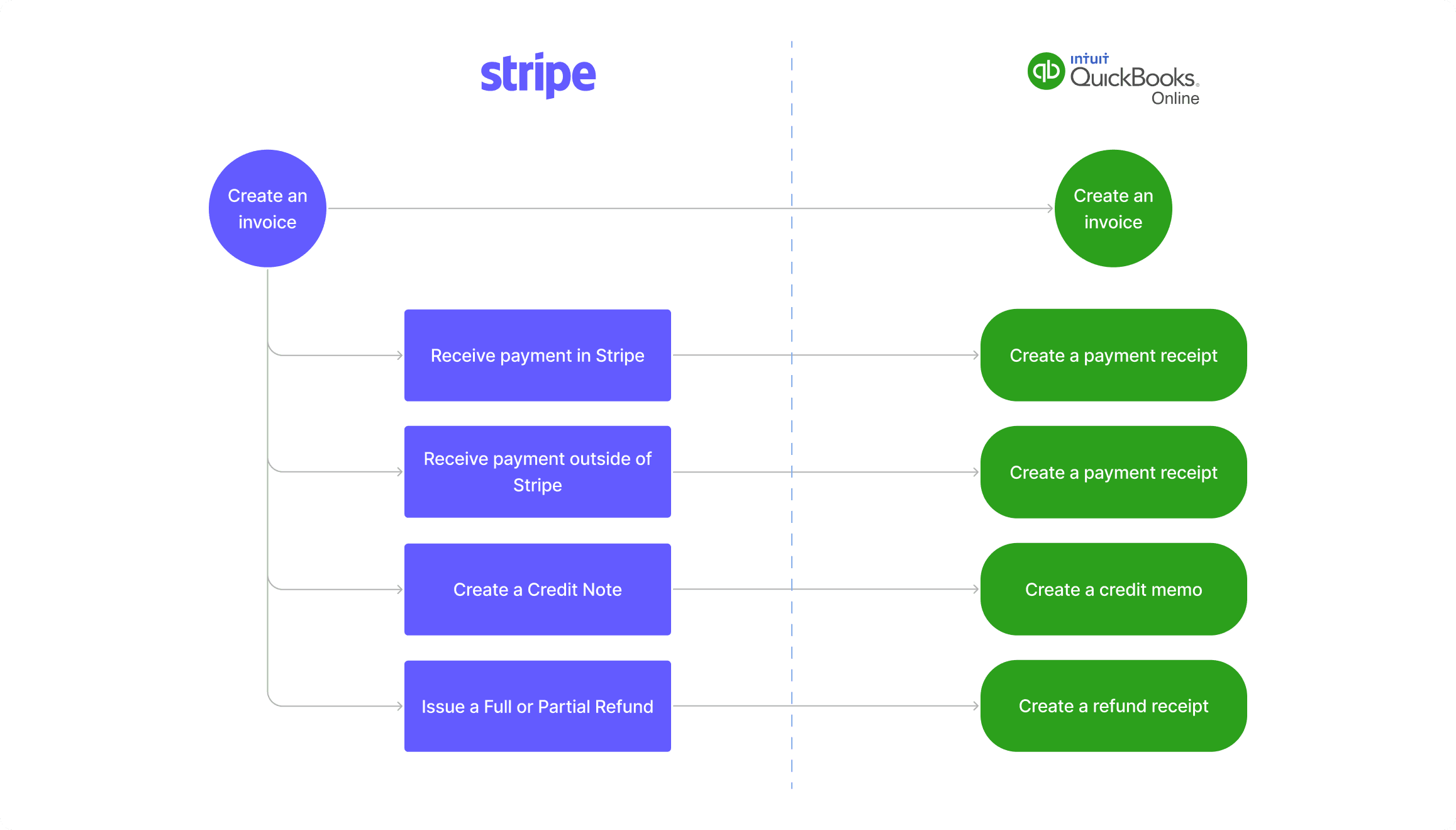
Bring Stripe-created invoices into QuickBooks so teams can manage accounts receivable in one accounting source of truth.

Automatic application support

When customer naming and QuickBooks settings are aligned, receipts and credit memos can auto-apply to the right invoice.

Advanced controls for real workflows

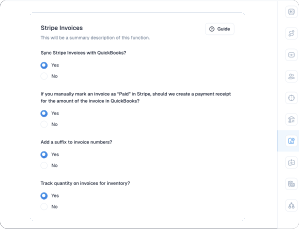
Handle numbering suffixes, existing QuickBooks invoice matching, and quantity tracking for complex invoice operations.

How to get started

  1. 1

    Open Account Mapping in Acodei and enable Stripe Invoices under Invoice Sync.

  2. 2

    Select your invoice behavior options and save changes.

  3. 3

    Validate customer naming consistency between Stripe and QuickBooks.

  4. 4

    Test one invoice lifecycle (invoice, payment, refund) before scaling to production volume.

Invoice synchronization flow from Stripe to QuickBooks

Testimonials

Trusted By Thousands of Businesses Worldwide

See why thousands of customers love our simple and convenient Stripe-Quickbooks integration services.

Works well and is really helpful for massive transactions. The support is really fast and helpful. 100% recommended.

Andres

Co-founder and CEO at Kanguro Collections and Reinsurance

The app does a beautiful job of syncing and automatically categorizing our Stripe data. I don't think I could function without this app.

Kenneth

CEO at Bell Benefits Group

If you're testing out all the different Stripe/QuickBooks integration apps right now, let me save you some time. This one is the best one by far.

Ryan

Owner at Indie Music Academy

This app works exactly as described, saving time because I no longer have to create journal entries for my Stripe transactions.

Jacquie

Owner at Camp Mowglis

The connection and sync with QuickBooks Online has been a huge time saver and is working very smoothly! I am so glad we found this tool!!

Kim

CFO at The Paperless Agent

As a solopreneur, any increase in productivity is a good thing. Acodei helped me in this area, and I'm grateful!

Elijah

Owner at Elijah Wordsmith

FAQ

Common questions about Automated Invoice Sync

Can I sync payments to invoices already created in QuickBooks?
Yes, with the backend option enabled by Acodei support. Payment receipts can then be created from Stripe payments for manual matching.
How do invoice number conflicts get handled?
Suffixes can be enabled to avoid duplicate number collisions when QuickBooks manual invoices are created alongside synced Stripe invoices.
Does invoice sync replace core Acodei syncing features?
No. Core customer, product, and fee functionality remains available with Invoice Sync enabled.

Ready to simplify automated invoice sync?

Launch with Acodei and build an accounting workflow that scales as your Stripe volume grows.